

Can woocommerce plugin development services connect APIs?
Ibomma News Pro >> Technology>> Can woocommerce plugin development services connect APIs?Can woocommerce plugin development services connect APIs?
Running an online store requires more than displaying products and accepting payments. Businesses often need to connect their websites with shipping companies, payment gateways, inventory systems, customer relationship management (CRM) tools, and marketing platforms. These connections help store owners manage daily operations efficiently and deliver a better shopping experience. 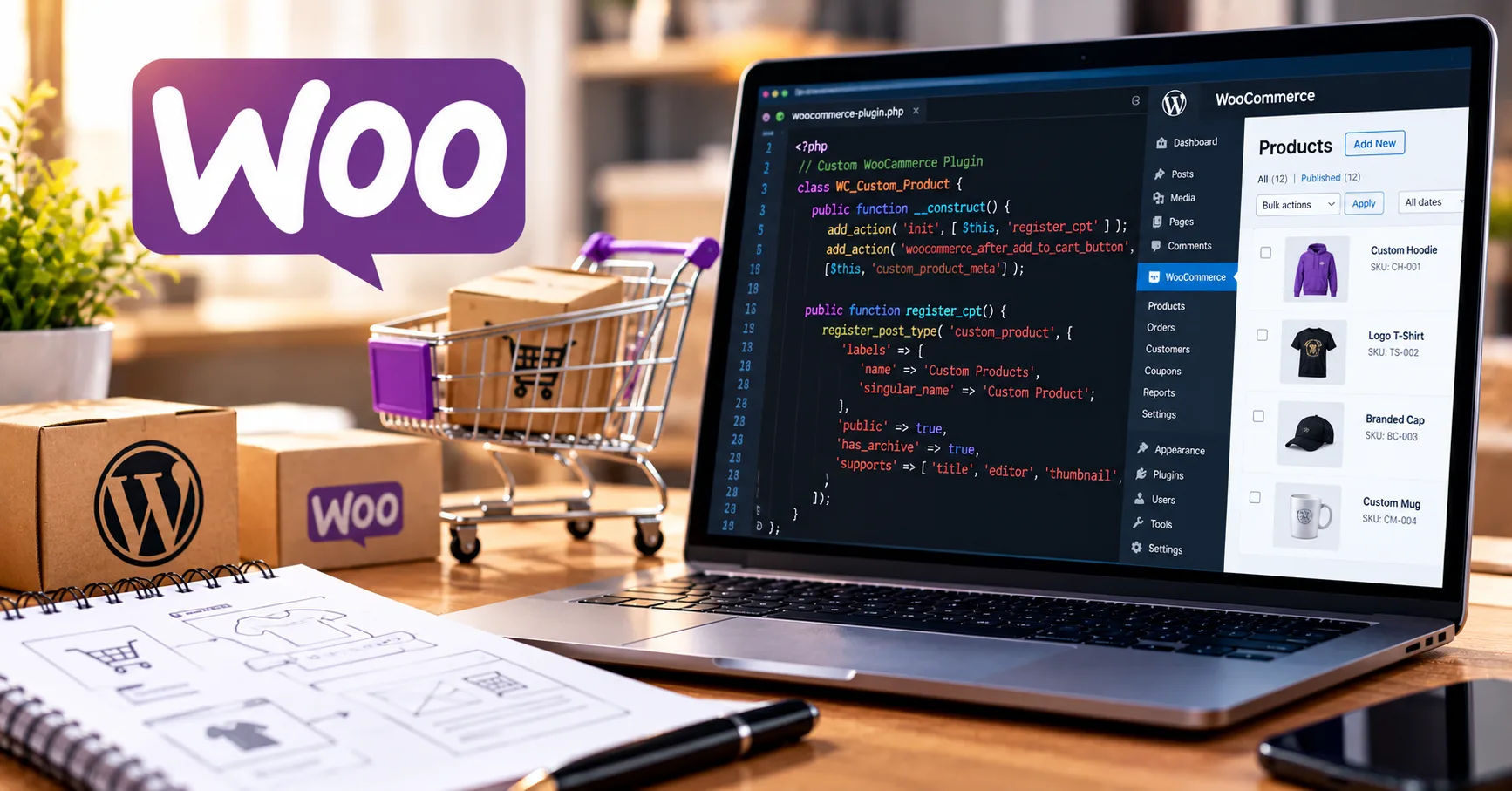 This is where woocommerce plugin development services can make a significant difference by connecting different software systems through application programming interfaces, commonly known as APIs.
APIs allow two software applications to exchange information and perform tasks without requiring users to move data manually. For example, an online store can send order details to a shipping company, receive tracking information, and share customer information with a marketing platform. These activities can happen automatically when the systems are properly connected.
The good news is that WooCommerce supports API integration, and developers can build custom plugins to connect a store with many external services. Whether a business needs a unique payment solution, automated order processing, or real-time inventory updates, API-connected plugins can help create a more flexible and efficient ecommerce operation.
Understanding how these integrations work can help business owners decide which connections they need, how to implement them, and what benefits they can expect.
APIs in WooCommerce
An API is a set of rules that allows different software applications to communicate with each other. Instead of building every feature from scratch, developers can use an external service's API to access its functions and exchange information.
WooCommerce provides a flexible environment for API integrations. Developers can use its built-in interfaces, WordPress hooks, and plugin architecture to extend store functionality and connect external systems.
For example, imagine a business that sells clothing through a WooCommerce website. When a customer places an order, the store may need to update inventory, create a shipping label, send an email confirmation, and record the transaction in an accounting system. APIs make it possible to connect these activities across different platforms.
How API Connections Work
An API integration usually follows a straightforward process.
First, one application sends a request to another application. The request might ask for product information, submit an order, or retrieve a shipment's tracking status.
Second, the receiving application checks the request, verifies the user's permissions, and processes the information.
Finally, the application sends a response. That response may contain the requested information, confirmation that an action succeeded, or an error explaining why the request failed.
For instance, a shipping integration might send an order's delivery address to a courier API. The courier system returns a shipment reference and tracking number, which the WooCommerce plugin can save against the order.
This process reduces manual work and allows information to move between systems more consistently.
WooCommerce's Built-In API Capabilities
WooCommerce includes a REST API that allows authorized applications to interact with store resources, including products, orders, customers, and other supported data. Developers can use it to build integrations with external applications.
WordPress also provides a REST API framework that developers can use to create custom endpoints. These endpoints can expose specific functionality when another application needs to communicate with the store.
In addition, developers can use WooCommerce hooks and filters to respond to events, adjust data, or extend existing behavior. These tools are particularly useful when building plugins that need to work directly within the store.
The appropriate approach depends on the external platform, the information being exchanged, and whether the integration needs to work in real time or process tasks in the background.
How WooCommerce Plugin Development Services Connect APIs
Custom API integrations require careful planning and technical implementation. Professional woocommerce plugin development services can help businesses build connections that match their operational needs instead of relying entirely on generic extensions.
A developer begins by identifying the external platform, reviewing its API documentation, and determining which information must move between systems.
For example, a business might want to connect WooCommerce with an enterprise resource planning (ERP) platform. The developer needs to understand how the ERP handles products, stock levels, orders, customer records, and invoices before designing the integration.
Identifying Integration Requirements
The first step is defining the business problem.
A store that struggles with stock accuracy may need an inventory integration. Another business may need a connection between WooCommerce and a shipping provider to automate label creation.
Clearly defined requirements help developers select the right API methods and avoid unnecessary complexity.
During planning, developers typically identify the data involved, the direction of information flow, the events that trigger synchronization, and the expected results. They also consider error handling, security requirements, and how the integration will be maintained.
Connecting to External API Endpoints
An API endpoint is a specific address through which an application requests information or performs an action.
For example, a payment provider might offer separate endpoints for creating transactions, checking payment status, and issuing refunds. A custom WooCommerce plugin can communicate with the appropriate endpoints according to the provider's documentation.
Depending on the service, requests may use methods such as GET to retrieve information, POST to create records, PUT or PATCH to update records, and DELETE to remove supported resources.
The exact methods and request formats depend on the external API. Developers must follow the provider's requirements rather than assume every API works in the same way.
Mapping Data Between Systems
Different applications may store the same information in different formats.
WooCommerce may identify an order using its internal order ID, while an external fulfillment platform uses a separate reference number. A custom plugin must map these values correctly so the systems can identify the same transaction.
Data mapping can also involve product SKUs, customer addresses, currency codes, tax information, and inventory quantities.
Accurate mapping prevents problems such as duplicate orders, incorrect stock levels, and missing customer details. Developers should also decide how to handle fields that are required by one system but optional in another.
Testing the Integration
Before an API-connected plugin is used on a live store, it should be tested carefully.
Testing should cover successful requests, invalid data, expired credentials, network interruptions, and unexpected responses. Developers should also confirm that the integration does not interfere with checkout, product management, or other installed plugins.
Whenever possible, testing should take place in a staging environment with test credentials and sample data. This reduces the risk of affecting real orders or customers.
Types of APIs WooCommerce Plugins Can Connect
WooCommerce plugins can connect to many kinds of external services, provided the services offer suitable APIs and permit the intended integration.
Payment Gateway APIs
Payment integrations allow customers to pay through supported payment providers. A custom plugin can connect WooCommerce checkout to a payment gateway, initiate transactions, and process payment status updates.
Depending on the provider, the integration may support refunds, saved payment methods, transaction records, and payment notifications.
Payment integrations require special attention to security. Developers must follow the provider's authentication rules and avoid storing sensitive payment information unnecessarily. They should also use verified webhook events or other supported mechanisms to confirm payment results.
Shipping and Logistics APIs
Shipping integrations can connect a store with courier companies and fulfillment providers.
A plugin may retrieve shipping rates, generate shipping labels, submit delivery details, and retrieve tracking information. Some integrations also support shipment cancellations and delivery-status updates.
For example, when a customer places an order, the plugin can send the required information to the courier service. Once the courier returns a tracking number, the plugin can save it to the WooCommerce order and make it available to the customer.
Automating these tasks helps reduce data-entry errors and improves order fulfillment.
Inventory and ERP APIs
Businesses that sell through multiple channels often need a central system to manage inventory.
An inventory or ERP integration can synchronize product quantities, update stock after purchases, and import product information from another platform.
Suppose a business sells the same product through WooCommerce and a physical shop. If both channels share a connected inventory system, a sale in one channel can update the quantity available in the other.
The integration must handle simultaneous sales, failed synchronization attempts, and conflicting updates to avoid inaccurate stock figures.
CRM and Marketing APIs
Customer relationship management systems help businesses manage customer information, sales activities, and communication.
A WooCommerce plugin can send customer details and order events to a CRM when customers make purchases or subscribe to marketing communications. Marketing platforms can then use permitted information to organize campaigns, segment audiences, or send follow-up messages.
These integrations should respect customer consent, privacy laws, and the marketing preferences recorded by the store.
Accounting and Invoicing APIs
Accounting integrations can transfer order totals, taxes, refunds, and payment information to financial software.
Depending on the connected service, a plugin may create invoices, record sales, update customer records, or synchronize refund information.
Automated accounting connections can reduce repetitive data entry. However, developers must ensure that transaction amounts, tax rules, currencies, and refund records are mapped correctly.
CRM, Analytics, and Other Business APIs
Beyond the common categories, WooCommerce can connect to analytics tools, help desk platforms, subscription systems, product information databases, and custom business applications.
The possibilities depend on the API available from the external provider. Some services offer complete access to their features, while others restrict certain operations or require special approval.
Benefits of Connecting APIs Through Custom Plugins
API integration can deliver important operational advantages when it is designed around a store's actual requirements.
Automating Repetitive Tasks
Manual work consumes time and creates opportunities for human error. API-connected plugins can automate activities such as transferring order information, updating stock, creating shipments, and recording transactions.
Employees can spend more time assisting customers, improving products, and growing the business instead of copying information between applications.
Automation also makes it easier to maintain consistent procedures as order volumes increase.
Improving Data Accuracy
When employees manually enter the same information into several systems, mistakes can occur. An incorrect address, missing product code, or outdated stock quantity can create problems throughout the order process.
An appropriately designed integration transfers information according to predefined rules. Validation checks can identify incomplete or invalid data before it reaches another system.
Although automation cannot eliminate every error, it can significantly reduce problems caused by repeated manual entry.
Supporting Business Growth
A small store might initially manage orders using spreadsheets and manual updates. As sales increase, these processes become harder to maintain.
Custom integrations allow the store to connect additional systems without redesigning every business process. A growing company can introduce new shipping providers, inventory tools, or reporting platforms as its needs change.
Scalable design is important because an integration that works for a few orders per day may require improvements when the store processes thousands of transactions.
Creating Better Customer Experiences
Customers expect accurate product availability, clear order confirmations, reliable delivery information, and timely communication.
API integrations help support these expectations by synchronizing information between WooCommerce and other services.
For example, a shipping integration can make tracking details available sooner, while a customer service integration can help support agents access relevant order information without switching between multiple systems.
These improvements can make the purchasing process more convenient and transparent.
Important Technical Considerations for API Integration
Successful integration involves more than making an API request. Developers must design the plugin to handle security, performance, compatibility, and long-term maintenance.
Authentication and Security
External APIs commonly require authentication through API keys, access tokens, OAuth, or another supported method.
Credentials must be stored securely and never exposed in public-facing pages, browser scripts, or error messages. Developers should request only the permissions needed for the integration and use encrypted HTTPS connections.
They should also validate incoming data, check permissions before sensitive actions, and verify webhook signatures when the provider supports them.
Keeping WordPress, WooCommerce, and related dependencies updated is another important part of protecting the integration.
Handling API Errors
External services can become temporarily unavailable. Requests may also fail because of expired credentials, rate limits, invalid data, or server timeouts.
A reliable plugin should detect these problems and respond appropriately. For example, it may record an error, retry a temporary failure, or notify an administrator when manual attention is needed.
Retries must be designed carefully. Repeating a request that creates an order or charges a payment could cause duplicate actions if the original request actually succeeded. Idempotency keys, where supported, and duplicate checks can help prevent these situations.
Useful logs should record enough information to troubleshoot issues without exposing passwords, access tokens, or sensitive customer data.
Performance and Scalability
Making too many API requests during checkout can slow down the shopping experience.
Developers can improve performance by caching suitable responses, reducing unnecessary requests, processing lengthy tasks asynchronously, and respecting API rate limits.
WooCommerce's background processing options and WordPress scheduling mechanisms may be useful for work that does not need to finish during a customer's immediate interaction.
However, important operations such as payment confirmation require appropriate safeguards and cannot simply be treated as optional background updates.
Compatibility and Maintenance
WooCommerce and external APIs change over time. A provider may introduce new authentication requirements, retire an endpoint, or change the structure of a response.
A well-maintained plugin should be tested against supported WooCommerce and WordPress versions. Developers should monitor provider announcements, review error logs, and update the integration when necessary.
Compatibility testing is particularly important for stores that use multiple plugins, custom checkout features, or specialized order-management workflows.
REST APIs, Webhooks, and Other Integration Methods
Choosing the right communication method is essential for an effective integration.
REST APIs
REST APIs allow an application to request or modify resources through defined endpoints. They are useful when a plugin needs to retrieve product data, update inventory, submit orders, or obtain account information.
A plugin may make a request when a particular event occurs or when an administrator clicks a synchronization button.
Webhooks
Webhooks allow one application to send a notification to another when a specific event happens.
For example, a payment provider may send a webhook when a transaction succeeds. A WooCommerce plugin can receive and verify that event before updating the order's payment status.
Webhooks can reduce the need for repeated polling, in which an application continually asks another system whether anything has changed.
Because webhook delivery can fail or arrive more than once, plugins should validate events, handle duplicate notifications, and provide recovery mechanisms.
Scheduled Synchronization
Some integrations do not require immediate updates. A store might synchronize product descriptions or import reports every hour instead of processing every change instantly.
Scheduled synchronization can reduce unnecessary API traffic and improve efficiency. The appropriate frequency depends on how quickly the information needs to remain accurate.
How to Choose the Right WooCommerce API Integration Approach
Before investing in a custom integration, business owners should evaluate the problem they want to solve and the available technical options.
First, confirm that the external service offers an API that supports the required operations. Read its documentation and review authentication methods, rate limits, pricing, and any access restrictions.
Next, determine whether an existing plugin already provides the necessary functionality. A tested, well-supported extension may be more economical than developing a completely new solution.
Custom development is particularly useful when a business has unique workflows, needs specialized data mapping, or must connect an internal application that standard plugins do not support.
When comparing woocommerce plugin development services, look for developers with experience in WooCommerce APIs, WordPress security, external integrations, automated testing, and production troubleshooting.
Ask how they will handle API failures, duplicate requests, sensitive information, and future updates. You should also clarify the expected development timeline, ongoing maintenance arrangements, and ownership of the custom code.
Finally, define measurable success criteria. These might include fewer manual order updates, faster inventory synchronization, reduced shipping errors, or more reliable financial reporting.
Common Challenges and Practical Solutions
Even a carefully planned integration can encounter technical and operational challenges.
One common problem is inconsistent data between systems. This can be addressed through validation rules, clear mapping procedures, and scheduled reconciliation reports that identify mismatched records.
Another challenge is limited API access. Some providers restrict requests, charge additional fees, or require account approval for certain operations. Developers should confirm these limitations before implementation and design the integration to stay within the provider's rules.
Network interruptions can also prevent data from reaching the destination system. Queues, controlled retries, error logs, and administrator notifications help make these failures easier to recover from.
Finally, integration costs can grow when requirements are unclear or the external platform changes unexpectedly. A detailed project scope, realistic testing plan, and maintenance agreement can help control these risks.
Conclusion
WooCommerce can connect with external APIs, and custom plugins make it possible to extend these connections to match a business's specific needs. From payment processing and shipping automation to inventory synchronization, accounting, CRM systems, and marketing platforms, API integrations can help online stores operate more efficiently.
The main advantage is the ability to exchange information between applications without relying entirely on manual work. When designed properly, these connections can improve data accuracy, reduce repetitive tasks, support business growth, and provide customers with a smoother shopping experience.
However, successful integration requires more than connecting two systems. Developers must understand the external API, map information correctly, secure credentials, handle errors, manage performance, and test the complete workflow. Ongoing maintenance is equally important because both WooCommerce and external services can change over time.
Choosing experienced woocommerce plugin development services can help businesses build integrations that address their requirements while reducing avoidable technical problems. Before starting a project, identify the processes you want to improve, confirm the capabilities of the external API, and decide how success will be measured.
Ultimately, API-connected WooCommerce plugins are valuable tools for businesses that want to simplify operations and build a more connected ecommerce environment. With careful planning, secure implementation, and consistent testing, they can become a reliable part of a store's long-term growth strategy.
Related Post
Understanding Temp Mail: The Benefits and Best Practices for Temporary Email Use
In the digital age, privacy and security have become paramount concerns. Every day, users share…
Common instasave tiktok issues
TikTok has become one of the most popular social media platforms worldwide. Millions of users…
Unlocking the Potential of APK1 Your Ultimate Guide to Safe and Efficient App Downloads
Discovering APK1: A New Era in App Accessibility In an increasingly mobile-driven world, having quick…