

What motherboard suits gaming pc 9800x3d?
Ibomma News Pro >> Business>> What motherboard suits gaming pc 9800x3d?What motherboard suits gaming pc 9800x3d?
Choosing the right motherboard is an important step when building a powerful gaming computer. The processor, graphics card, memory, and storage all affect performance, but the motherboard connects these components and helps them work together efficiently. If you are planning a build around AMD's Ryzen 7 9800X3D, selecting a compatible motherboard can improve system stability, provide useful upgrade options, and make it easier to get the most from your hardware. 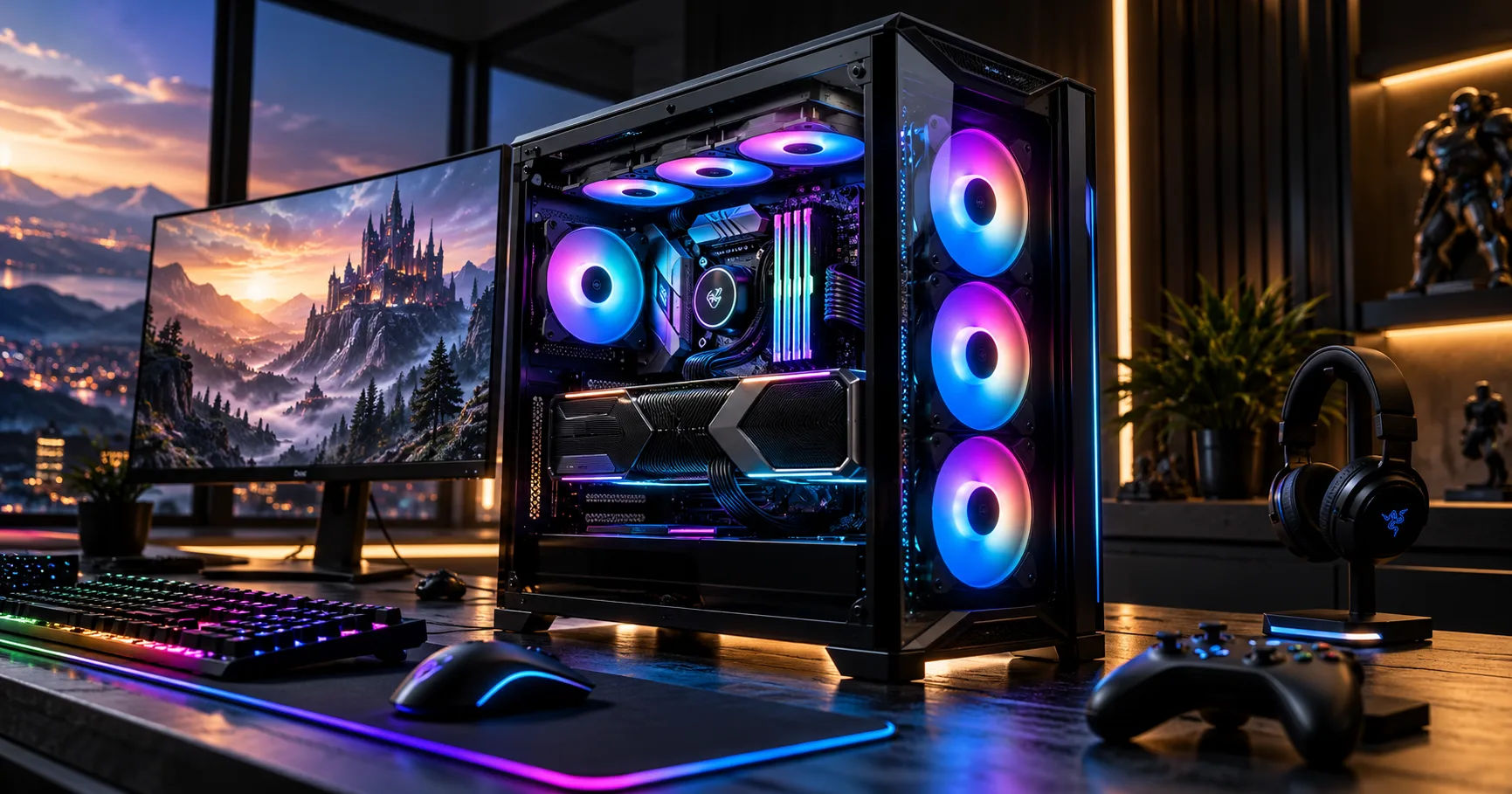 The Ryzen 7 9800X3D is a high-performance gaming processor built on AMD's AM5 platform. It uses advanced 3D V-Cache technology to deliver excellent gaming performance, making it a popular choice for demanding games and high-refresh-rate monitors. However, choosing the right motherboard involves more than simply finding a model with the correct socket. Power delivery, cooling, memory support, connectivity, and price all deserve attention.
For anyone building a gaming pc 9800x3d, the best approach is to balance motherboard quality with the features you actually need. A premium board can be worthwhile for enthusiasts who want extensive connectivity, multiple high-speed storage drives, or advanced tuning options. At the same time, a good midrange motherboard can deliver excellent gaming performance without requiring an unnecessarily large budget.
This guide explains the motherboard features that matter most, compares the main chipset options, and explores suitable models for different budgets. By the end, you should be able to choose a motherboard that supports your processor reliably while leaving room for future upgrades.
The Ryzen 7 9800X3D Platform
Before comparing motherboards, it helps to understand the processor's requirements and the platform it uses.
What Socket Does the Ryzen 7 9800X3D Use?
The Ryzen 7 9800X3D uses AMD's AM5 socket. Therefore, you need an AM5 motherboard rather than an older AM4 model.
AM5 motherboards support DDR5 memory, and compatible boards can provide features such as PCIe 5.0 storage, high-speed networking, and modern USB connectivity. The exact features depend on the motherboard model and chipset.
A motherboard designed for an older Ryzen processor using the AM4 socket will not support the 9800X3D, even if it looks similar or comes from the same manufacturer.
Why Chipset Compatibility Matters
AMD offers several AM5 chipset families, including B650, B850, X670, X870, and X870E. These chipsets differ in connectivity, expansion options, and support for particular technologies.
The chipset alone does not determine the quality of a motherboard. Two boards using the same chipset can have different power delivery systems, cooling arrangements, audio components, networking features, and numbers of expansion slots.
For a gaming build, it is usually better to evaluate the complete motherboard rather than choosing solely by the chipset name.
Best Motherboards for a Gaming PC 9800X3D
Several AM5 motherboards are suitable for this processor. The best option depends on your budget, preferred case size, and the features you want.
1. MSI MAG B850 Tomahawk MAX WiFi — Best Overall
The MSI MAG B850 Tomahawk MAX WiFi is an excellent starting point for a high-performance gaming build. It combines strong power delivery with modern connectivity and useful storage expansion.
Its main advantages include Wi-Fi 7, high-speed Ethernet, multiple M.2 storage slots, and support for PCIe 5.0 graphics and storage. These features make it suitable for gamers who want a modern system without paying flagship motherboard prices.
Why choose it?
-
Strong power delivery for the Ryzen 7 9800X3D.
-
Multiple M.2 slots for fast SSDs.
-
Modern wireless and wired networking.
-
Useful BIOS features for setup and troubleshooting.
-
Good room for future storage and hardware upgrades.
For most buyers, this motherboard offers a sensible balance between features, reliability, and price. It is particularly appealing if you want a powerful gaming system rather than a workstation with extensive expansion requirements.
2. ASUS TUF Gaming B850-Plus WiFi — Best for Value
The ASUS TUF Gaming B850-Plus WiFi is another strong choice for gamers who want dependable performance without spending heavily on premium features.
Its practical feature set includes Wi-Fi 7, 2.5-gigabit Ethernet, several M.2 slots, and BIOS FlashBack on supported configurations. It also provides the core platform features needed for a powerful single-graphics-card gaming PC.
Why choose it?
-
A practical option for a midrange-to-high-end gaming build.
-
Modern networking for online multiplayer games.
-
Multiple storage expansion options.
-
A gaming-oriented design without requiring a flagship budget.
This board is worth considering when you would rather spend additional money on a better graphics card, a larger SSD, or a high-quality power supply.
3. Gigabyte B850 AORUS Elite WiFi7 — Best Alternative
The Gigabyte B850 AORUS Elite WiFi7 is a capable alternative for builders who prefer Gigabyte's BIOS interface and motherboard design.
It supports the AM5 platform, DDR5 memory, modern wireless networking, and PCIe 5.0 graphics connectivity. Its multiple storage options also make it attractive for users who maintain a collection of large games or work with media files.
Before buying, compare the exact model's M.2 configuration, rear USB ports, networking, and pricing against competing B850 boards.
Best suited for: gamers who want a well-equipped motherboard with modern connectivity and room for future upgrades.
4. MSI MAG X870 Tomahawk WiFi — Best for Extra Connectivity
The MSI MAG X870 Tomahawk WiFi is worth considering if you need more connectivity than a typical gaming motherboard provides.
Its X870 platform offers USB4 connectivity, Wi-Fi 7, and multiple M.2 storage options. USB4 is especially useful for compatible external SSDs, docking stations, and other high-speed peripherals.
The board can suit a gaming setup that doubles as a workstation for video editing, content creation, or large file transfers.
However, USB4 does not automatically improve gaming frame rates. If you only connect a graphics card, one or two SSDs, a keyboard, a mouse, and a headset, a quality B850 motherboard may deliver everything you need.
5. ASUS ROG Crosshair X870E Hero — Best Premium Option
The ASUS ROG Crosshair X870E Hero targets enthusiasts who want extensive expansion, premium connectivity, and advanced tuning features.
Depending on the exact configuration, its feature set includes multiple high-speed M.2 slots, USB4, advanced networking, and a robust power delivery design.
This type of motherboard makes sense for a system that will use several fast SSDs, demanding peripherals, and additional expansion cards.
For a gaming pc 9800x3d built primarily for playing games, however, the extra expense is not essential. You should consider this premium option when its specific features solve a real need rather than buying it simply because it is more expensive.
Comparing Motherboard Chipsets
The chipset is a useful starting point when narrowing your choices. However, the exact specifications of the motherboard remain important.
|
Chipset |
Best suited for |
Main consideration |
|---|---|---|
|
B650 |
Budget-conscious builds |
Check BIOS support and available features |
|
B650E |
Gaming with extensive PCIe 5.0 support |
Compare lane allocation and pricing |
|
B850 |
Most modern gaming builds |
Strong balance of features and cost |
|
X670E |
Enthusiast systems |
Consider older-stock pricing and connectivity |
|
X870 |
Gaming and productivity |
Useful when USB4 and extra connectivity matter |
|
X870E |
Premium enthusiast systems |
More expansion and high-end platform features |
AMD lists the Ryzen 7 9800X3D as compatible with these chipset families, subject to motherboard-specific support and the appropriate BIOS.
Is B850 Enough for Gaming?
For most users, yes. A good B850 motherboard can provide excellent gaming performance with the Ryzen 7 9800X3D.
The processor does not require an expensive flagship motherboard to deliver its gaming capabilities. Instead, a suitable B850 model can provide sufficient power delivery, modern storage support, and the connectivity needed for a single-GPU system.
Choose B850 if you want to direct more of your budget toward components that have a more noticeable effect on gaming, especially the graphics card and monitor.
When Should You Choose X870 or X870E?
Consider X870 when USB4 and its associated connectivity are important to your setup. X870E is worth exploring if you need a broader set of high-speed expansion options and premium features.
The distinction is not simply that one chipset is faster for gaming. The advantage comes from the available connections and expansion layout, which vary between chipsets and individual boards.
For many gamers, the difference in real-world frame rates between otherwise comparable B850 and X870 systems will be negligible.
Important Features to Check Before Buying
A motherboard should support your processor today and provide the connections you expect to need in the future. These are the main features to evaluate before making a purchase.
1. VRM Quality and Power Delivery
The voltage regulator module, or VRM, supplies and regulates power for the processor. A well-designed VRM helps maintain stable operation during demanding gaming sessions and other heavy workloads.
The Ryzen 7 9800X3D has a default TDP of 120 watts, so a quality midrange motherboard is generally sufficient.
Look for effective VRM heatsinks, a proven power delivery design, and reliable reviews. Do not judge motherboard quality only by the advertised number of power phases.
A premium VRM design can be useful for demanding processors and enthusiast tuning, but extra power stages do not automatically produce higher gaming performance.
2. DDR5 Memory Support
The 9800X3D uses DDR5 memory, so DDR4 modules are not compatible with an AM5 motherboard.
For a gaming pc 9800x3d, a 32GB kit consisting of two 16GB modules is a good starting point. A 64GB kit can be useful if you stream, edit videos, run virtual machines, or keep many applications open while gaming.
DDR5-6000 is a commonly recommended target for Ryzen 9000 gaming builds, although actual stability depends on the processor's memory controller, BIOS, and memory kit.
Choose a kit listed on the motherboard's compatibility list when possible. You can then enable AMD EXPO in the BIOS to apply the kit's supported memory profile.
Remember that advertised memory speeds beyond standard specifications are overclocked settings. Stability is more important than achieving the highest number on the product box.
3. PCIe 5.0 and Graphics Card Compatibility
PCIe determines how components communicate through the motherboard. PCIe 5.0 offers substantial bandwidth, but not every device needs it.
When choosing a board, check the primary graphics slot and its electrical configuration. Also verify how installing additional expansion cards or SSDs affects available lanes.
A PCIe 5.0 graphics slot can offer useful forward compatibility, but a graphics card that uses an earlier PCIe generation can still work in a compatible slot.
For most gaming systems, the graphics card itself has a much greater influence on frame rates than the difference between otherwise suitable motherboard chipsets.
4. M.2 Slots and Storage
Modern games can occupy substantial amounts of storage. A motherboard with multiple M.2 slots makes it easier to add SSDs without replacing your existing drive.
Consider these questions before purchasing:
-
Does the motherboard have enough M.2 slots for your current and future drives?
-
Are heatsinks included for high-speed SSDs?
-
Does installing a drive disable or reduce the bandwidth of another slot?
-
Are there enough SATA connections if you plan to use older drives?
PCIe 5.0 SSDs can offer impressive transfer speeds, but PCIe 4.0 SSDs are still excellent choices for gaming. Loading times do not always improve significantly when moving from one fast SSD generation to another.
5. Wi-Fi, Ethernet, and USB Connectivity
A reliable network connection matters for online multiplayer games. Ethernet is usually the preferred option when a wired connection is practical because it provides a stable connection without wireless interference.
Wi-Fi 6E or Wi-Fi 7 can be useful when your router supports the corresponding standard. However, a newer wireless standard does not guarantee lower latency if your network or internet connection is the actual limitation.
Also check the rear USB ports, front-panel USB headers, audio connections, and any USB-C ports you need.
A motherboard with USB4 can be valuable for high-speed peripherals, but it is not a requirement for a typical gaming setup.
6. BIOS Flashback and Compatibility
BIOS compatibility is especially important when buying an older motherboard or discounted stock.
Some earlier AM5 motherboards may require a BIOS update before they can recognize a Ryzen 9000-series processor. Many newer boards support these processors out of the box, but you should verify the exact model and revision.
A BIOS Flashback feature can allow you to update the BIOS using a USB drive without first installing a supported processor, depending on the manufacturer's procedure.
Before purchasing, confirm CPU support on the manufacturer's official website. This simple step can save time during assembly.
Choosing the Right Motherboard for Your Budget
Your motherboard budget should reflect the needs of your entire computer rather than the prestige of an individual component.
Budget-Friendly Build
Choose a well-reviewed B650 or B850 motherboard if your priority is strong gaming performance at a sensible price.
Check the CPU support list, power delivery, memory compatibility, and storage options. An older B650 board can offer excellent value when its firmware and feature set meet your needs.
Midrange Gaming Build
A B850 motherboard is a strong starting point for many enthusiasts. It offers modern platform features without requiring you to pay for every premium connectivity option.
The MSI MAG B850 Tomahawk MAX WiFi and ASUS TUF Gaming B850-Plus WiFi are two models worth comparing in this category.
Premium Gaming and Productivity Build
If your computer will also handle professional workloads, consider an X870 or X870E model.
Additional storage, USB4, and more extensive connectivity can make a difference when your computer connects to multiple external drives, capture devices, and other peripherals.
Before paying more, identify the exact features you will use. Spending less on a motherboard can leave more room in your budget for a faster graphics card, a larger SSD, or a better monitor.
Building and Setting Up Your System
After choosing your motherboard, follow a few practical steps to avoid compatibility problems.
-
Check the case size. Make sure the case supports the motherboard's ATX, micro-ATX, or Mini-ITX form factor.
-
Install the processor carefully. Align it with the AM5 socket markings and follow the manufacturer's installation instructions.
-
Use a suitable CPU cooler. The 9800X3D does not include a boxed cooler, so budget for an appropriate cooling solution.
-
Install memory in the recommended slots. For a two-module kit, consult the motherboard manual, which commonly recommends slots A2 and B2.
-
Update the BIOS if necessary. Follow the manufacturer's instructions and avoid interrupting the update.
-
Enable EXPO after checking system stability. Test the system if you encounter crashes or memory errors.
-
Install chipset and network drivers. Obtain the appropriate software from the motherboard or component manufacturer's official support pages.
Good airflow is also important. Make sure the case has adequate intake and exhaust fans, and avoid blocking the CPU cooler or graphics card with cables.
Common Motherboard Buying Mistakes
One common mistake is buying the most expensive motherboard available without checking whether its extra features are useful. A high-end board cannot automatically make a processor faster in games.
Another mistake is ignoring memory compatibility. A fast DDR5 kit may need a BIOS update or adjusted settings to operate reliably.
Some buyers also overlook physical dimensions. A large graphics card, tall CPU cooler, or compact case can complicate installation, so check component clearances before ordering.
Finally, avoid choosing a motherboard based only on its advertised memory speed or power phase count. Independent testing, firmware support, connectivity, and warranty coverage are more useful indicators of whether a board suits your needs.
Conclusion
The best motherboard for a Ryzen 7 9800X3D is one that provides reliable power delivery, stable DDR5 memory support, sufficient storage, and the connectivity your gaming setup requires. You do not need to purchase a flagship motherboard simply to take advantage of this processor's gaming performance.
For most builders, the MSI MAG B850 Tomahawk MAX WiFi is a strong all-round option. The ASUS TUF Gaming B850-Plus WiFi is worth considering for a value-focused system, while the Gigabyte B850 AORUS Elite WiFi7 offers another capable alternative. If USB4 and additional connectivity are priorities, the MSI MAG X870 Tomahawk WiFi is a sensible step up. Enthusiasts with extensive expansion needs can investigate the ASUS ROG Crosshair X870E Hero.
Before making your decision, compare the exact specifications, local prices, BIOS compatibility, and warranty terms of the available models. Motherboard prices and availability can vary considerably by region, so the best purchase is not always the board with the highest retail price.
Ultimately, a carefully selected gaming pc 9800x3d build should balance the processor with a suitable graphics card, dependable cooling, compatible memory, fast storage, and a quality power supply. Choose a motherboard that supports those components without paying for features you will never use, and you will have a solid foundation for an enjoyable gaming experience and future upgrades.
Related Post
Tobacco vs Vapes Understanding the Pros and Cons
When considering the debate between tobacco and vapes, it's crucial to grasp the advantages and…
Gold Companies, Choosing A Trustworthy Spouse For Safe Gold Investment Funds And Trading
Gold has always been one of the most worthy assets in the worldly concern. People…
Dropshipping T Shirts Using Shopify
If you're considering starting a T-shirt business, dropshipping through Shopify might just be the ideal…